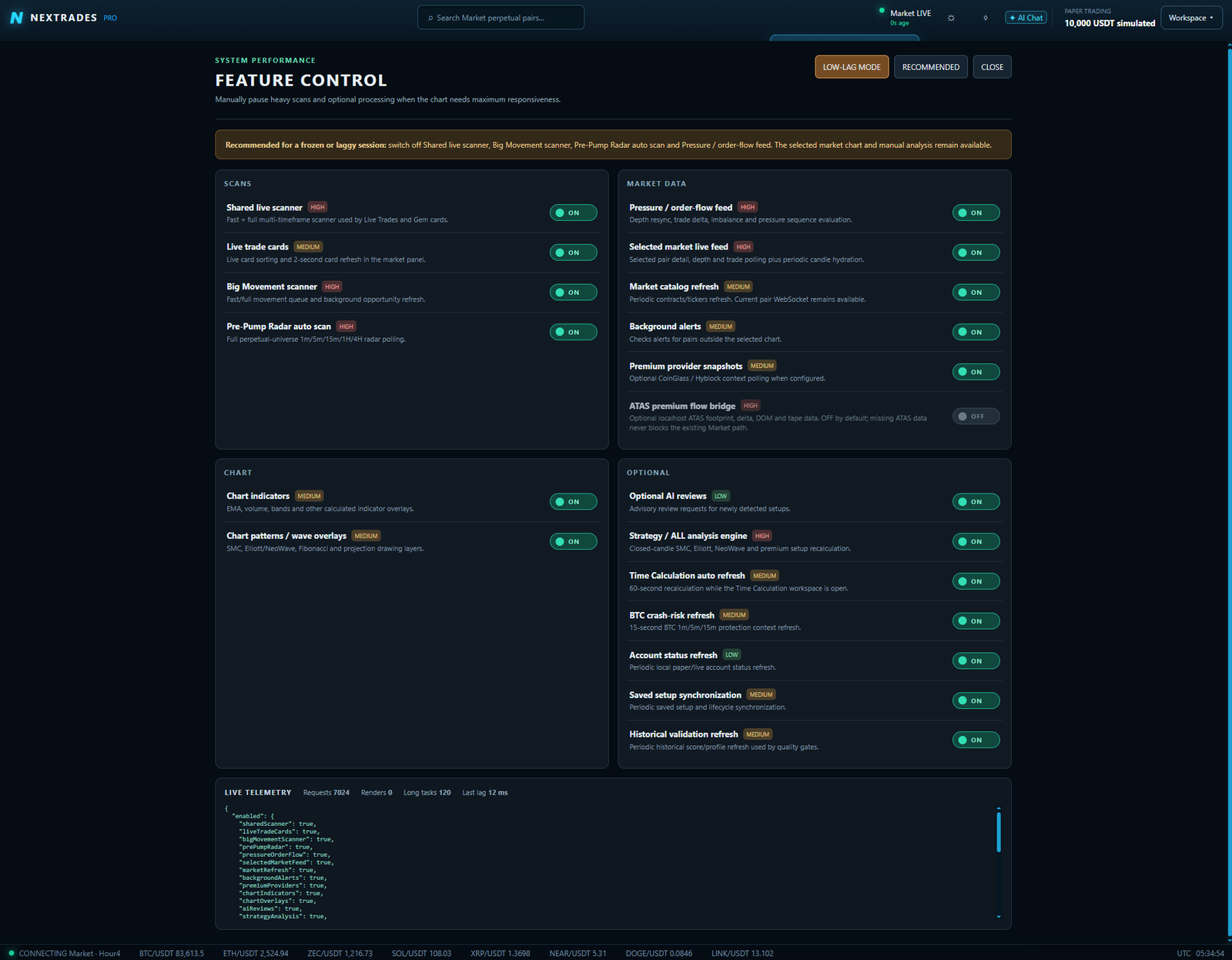
Performance controls
What it does
Dedicated feature switches expose heavy scans, optional processing and live telemetry so users can manage workload for their machine and market-data conditions.
How it works
Low-lag mode
Pause optional scanner and flow workloads while keeping selected-chart analysis available. This is workload management, not a guaranteed benchmark on every computer.
Feature-level switches
Control shared scanning, Big Movement, radar, pressure feed, overlays, AI reviews, validation and saved setup synchronization.
Operational telemetry
Review request counts, render activity and long-task observations when diagnosing lag. Data-provider throttling can still occur.
How to use it
- Open the corresponding workspace in NexTrades.
- Select a market/timeframe and check Data health.
- Inspect available evidence, waiting reasons and invalidation before acting.
What you see
Method outputs, research candidates and their state depend on available data. No live screenshot is fabricated here.
Interpretation and limitations
Evidence ranking is not win probability. WATCH is not an entry. Optional providers need configuration and may incur separate charges. Simulation is not live performance.
Troubleshooting
Check freshness and unavailable-provider labels, then read Data health and Setup states.